JCEX Tracking Number Format: What It Looks Like and Where to Find It
A tracking number is the one piece of information every tracking tool depends on, so it helps to know what a JCEX number looks like and where to find it. This guide explains the formats people commonly see, how to copy a number without mistakes, and what to do when a tool says the number is not found. TrackJCEX is an independent tool and is not affiliated with JCEX.
In this article
- What does a JCEX tracking number look like?
- Where to find your tracking number
- Tracking number, order number and invoice number are different
- Avoid copy and paste mistakes
- What if the number is not found?
- Local carrier hand-off
- Keep your number private
- How a typical tracking history reads
- Common mistakes that cause a not found result
- Using the same number on several tools
- Where to find the number depending on how you ordered
- Frequently asked questions
What does a JCEX tracking number look like?
Many JCEX numbers seen on shipments begin with the letters JCZ followed by digits and a short letter ending, for example JCZ1234567890AB. That pattern is common, but it is not the only one. Formats can differ by seller, service and origin, and some parcels also carry a second number from a local carrier for last-mile delivery. If your number looks different, try it anyway on our Track Shipment page.
Where to find your tracking number
- The shipping confirmation email from the seller or marketplace
- Your order page, usually under a Track package or Shipment details button
- The sender copy of the shipping label or waybill, if you have it
- An SMS or app notification from the seller
- For Amazon orders, the Track package page inside your order details, covered in our JCEX shipping on Amazon guide
Tracking number, order number and invoice number are different
A very common reason for a not found result is using the wrong number. An order number identifies your purchase, an invoice number identifies the payment document, and the tracking number identifies the parcel. Look for a field labelled tracking number, waybill number, consignment number or shipment ID.
Avoid copy and paste mistakes
- Remove spaces at the start or end of the number
- Check letters and digits that look alike, such as 0 and O or 1 and I
- Copy the whole number, including the letters at the end
- Do not add dashes or extra words from the email
What if the number is not found?
A new number may take 24 to 48 hours to appear, because the carrier must first scan the parcel. If you have waited and it still shows nothing, confirm the number with the seller and see our guide on why JCEX tracking is not updating.
Local carrier hand-off
Once a parcel reaches your country, its final delivery may be handled by a local postal service or courier. Your result may then show a different number or carrier name. Our post on JCEX to USPS tracking explains this hand-off for US deliveries.
Keep your number private
Tracking numbers can reveal delivery progress and sometimes details tied to an order, so avoid posting them publicly. Only enter your number on tools you trust, and read our Privacy Policy to see how we handle the numbers entered on this site.
How a typical tracking history reads
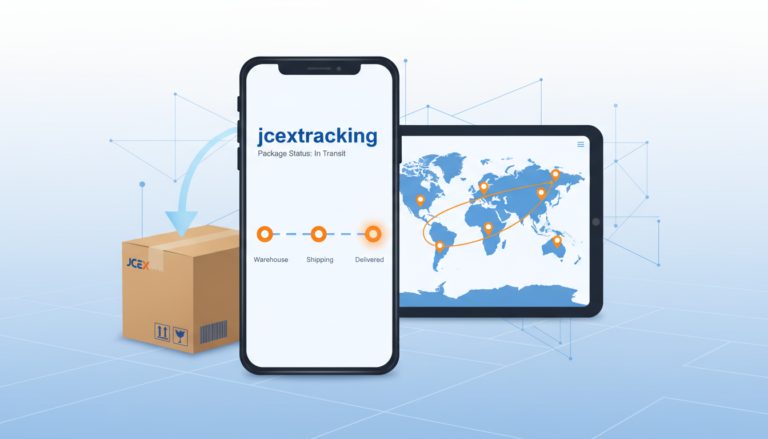
Once your number is accepted, the result is a timeline that moves from the origin to your door. The wording can vary, but the pattern is familiar.
- Information received or label created: the seller has prepared the shipment and the carrier has not scanned it yet
- Picked up or collected: the parcel has been handed to the carrier
- In transit or departed: it is moving between sorting centres or countries
- Arrived in the destination country: it has crossed the border and may be in customs
- Out for delivery or delivered: the local courier has taken over
Read more about each label in our JCEX tracking status glossary.
Common mistakes that cause a not found result
Most failed searches come from a small set of avoidable problems.
- Typing the number from memory instead of copying it
- Adding a space, dash or an extra letter by accident
- Using a number from a different carrier that was shown on the same page
- Searching too soon after ordering, before the first scan exists
- Confusing the order number with the tracking number
Using the same number on several tools
You can paste the same tracking number into other tracking services as well, and the information should match because it comes from the same scan events. If two tools disagree, the one that updated most recently is usually closer to the truth, since services refresh at different times. For the most accurate local delivery details, also check the website of the postal service or courier that handles the last mile in your country.
Where to find the number depending on how you ordered
The place where the number appears changes with the shop, but a few spots are common.
- Marketplace orders: open your orders page and choose the track package or shipment details option
- Online shops: look at the shipping confirmation email, which often includes a Track order button
- Direct sales: ask the sender for the waybill number and the carrier name
- Parcels with two numbers: try the longer international number first, and then the local carrier number if the first does not work
If the number works on one tool but not another, give it a day and try again. Different services refresh from the carrier at different times, so a result can appear on one before the other.
Frequently asked questions
Is every JCEX tracking number 15 characters long?
No. Many are, but formats vary by seller and service. Treat any pattern as typical rather than guaranteed.
Can I track without registering?
Yes. Our tracker is free and needs no account. Enter the number and select Track.
Why does the same number show two carriers?
Because the parcel was handed from the origin carrier to a local carrier. Both sets of scans may appear in one timeline.
Can a tracking number be reused?
Carriers generally do not reuse active numbers, but very old numbers can sometimes return old or empty results. If a result looks wrong, check with the seller.